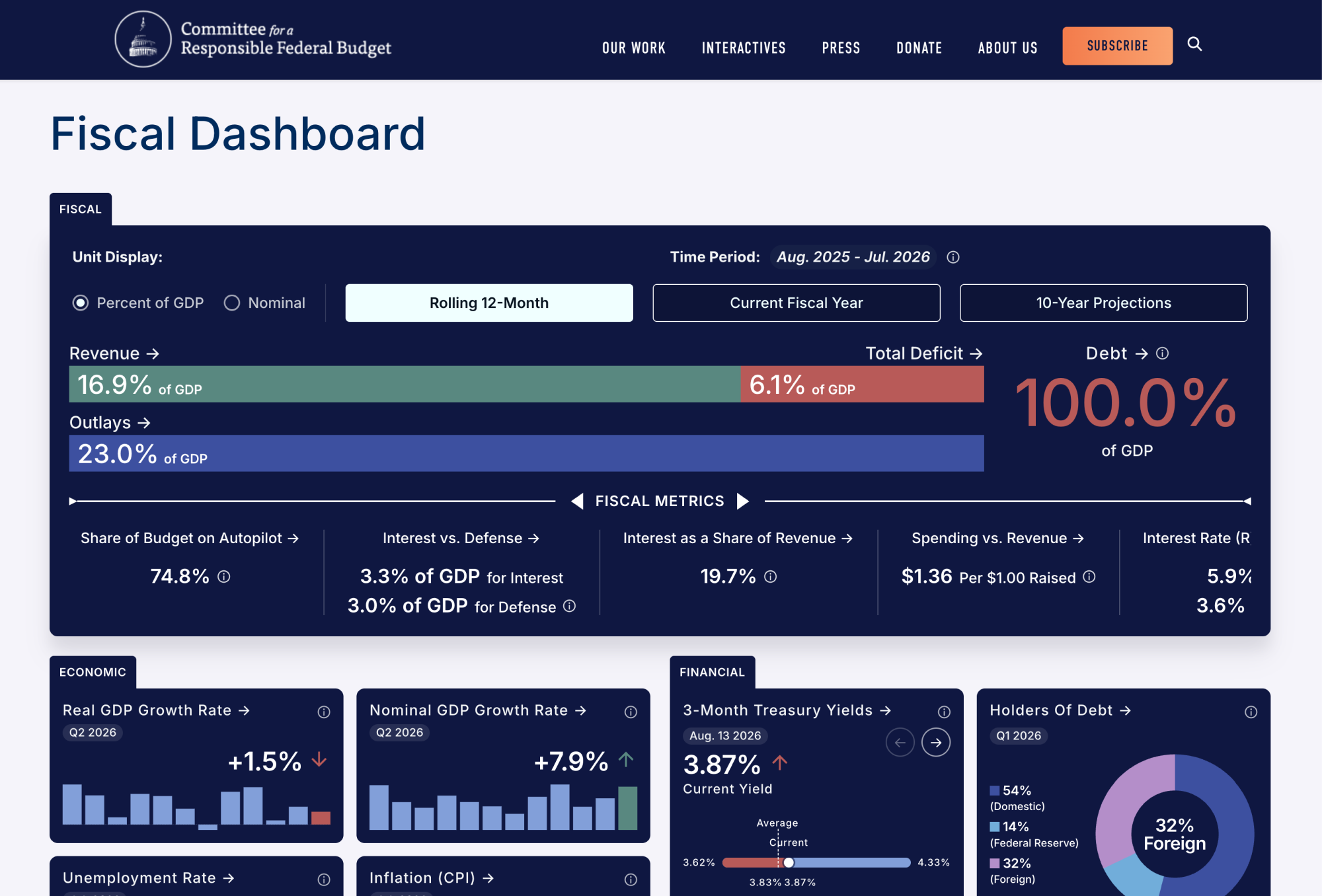
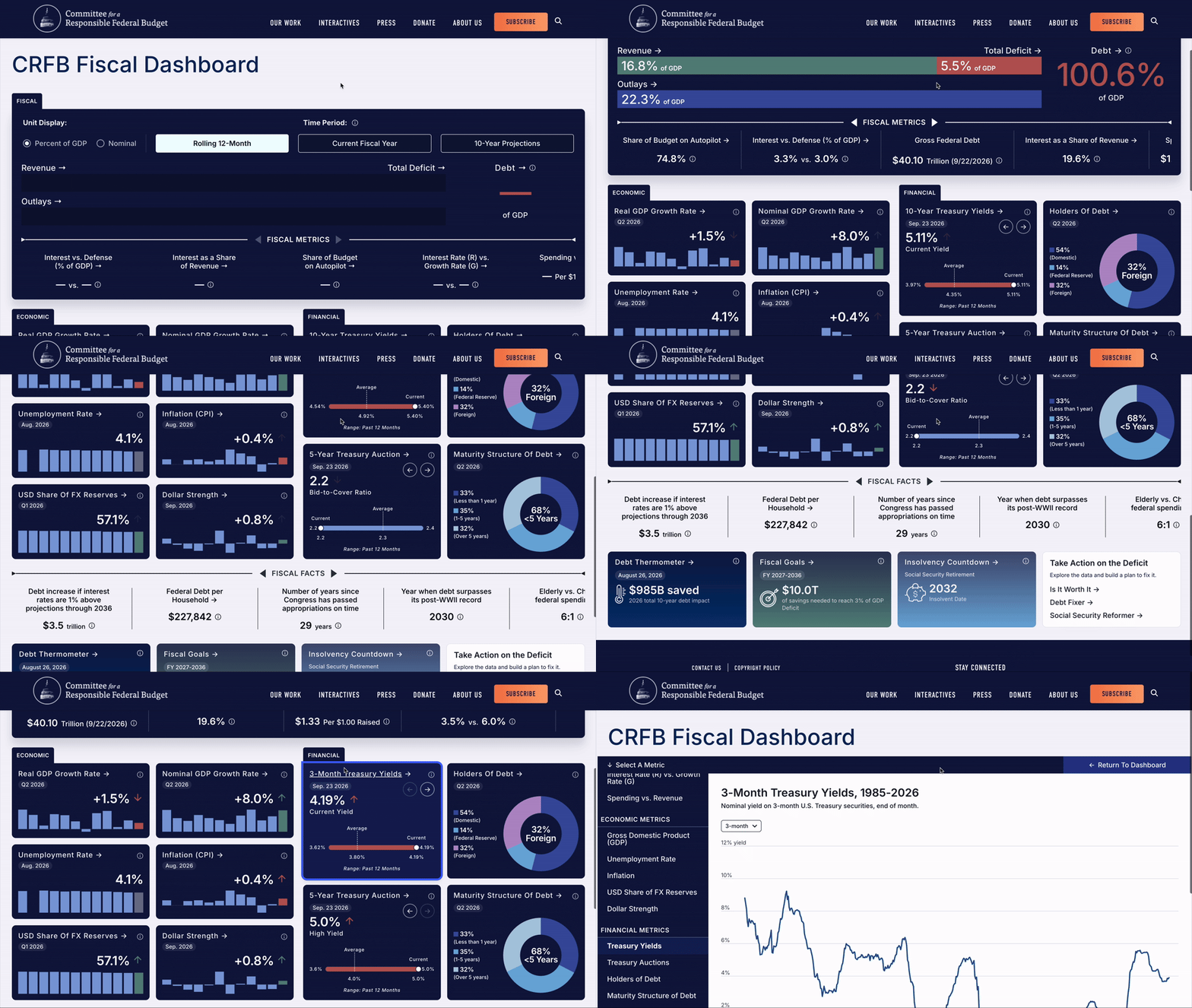
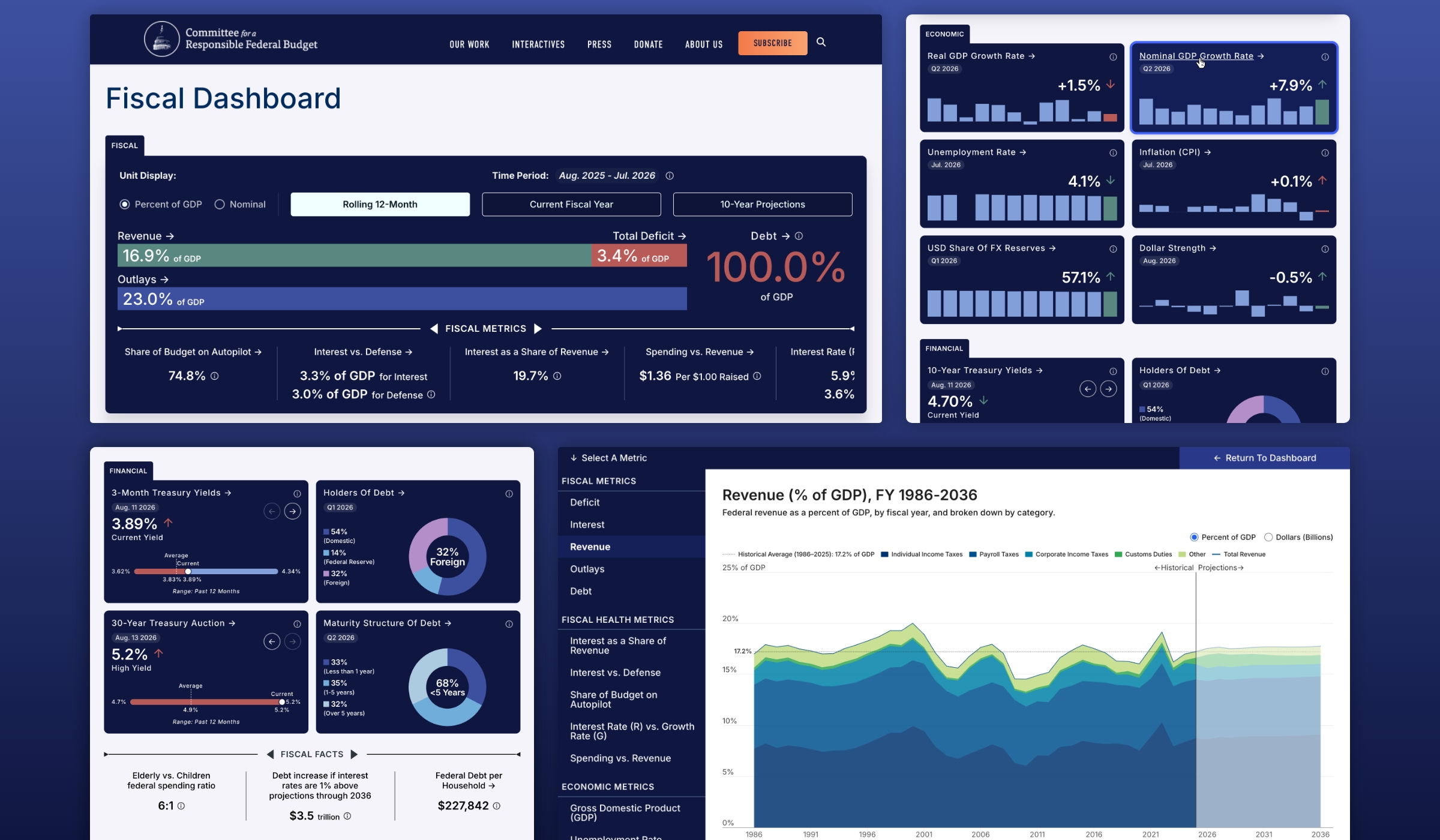
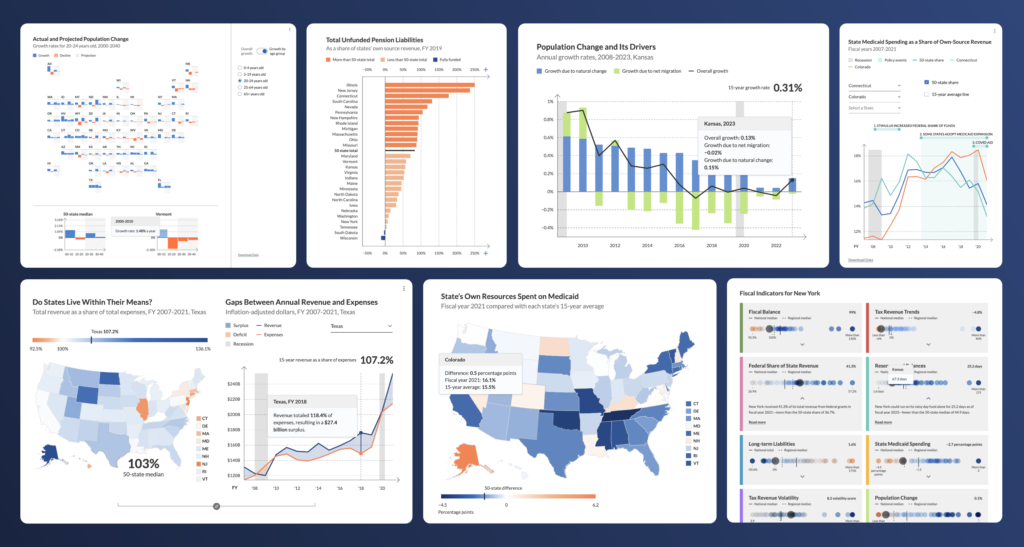
Graphicacy divided the dashboard’s main page into three key sections. The hero Fiscal section at the top features a snapshot of high-level metrics for the federal government, such as revenue, total deficit, outlays and debt. Users can filter the data as either percent of GDP or nominal dollars for three time periods: the current fiscal year, a rolling 12-month view and 10-year projections.
Economic and Financial sections follow, presenting information through a more compact, more varied set of visualizations. Graphicacy incorporated existing CRFB tools along the bottom of the page, styled to align with the new dashboard’s look and feel.
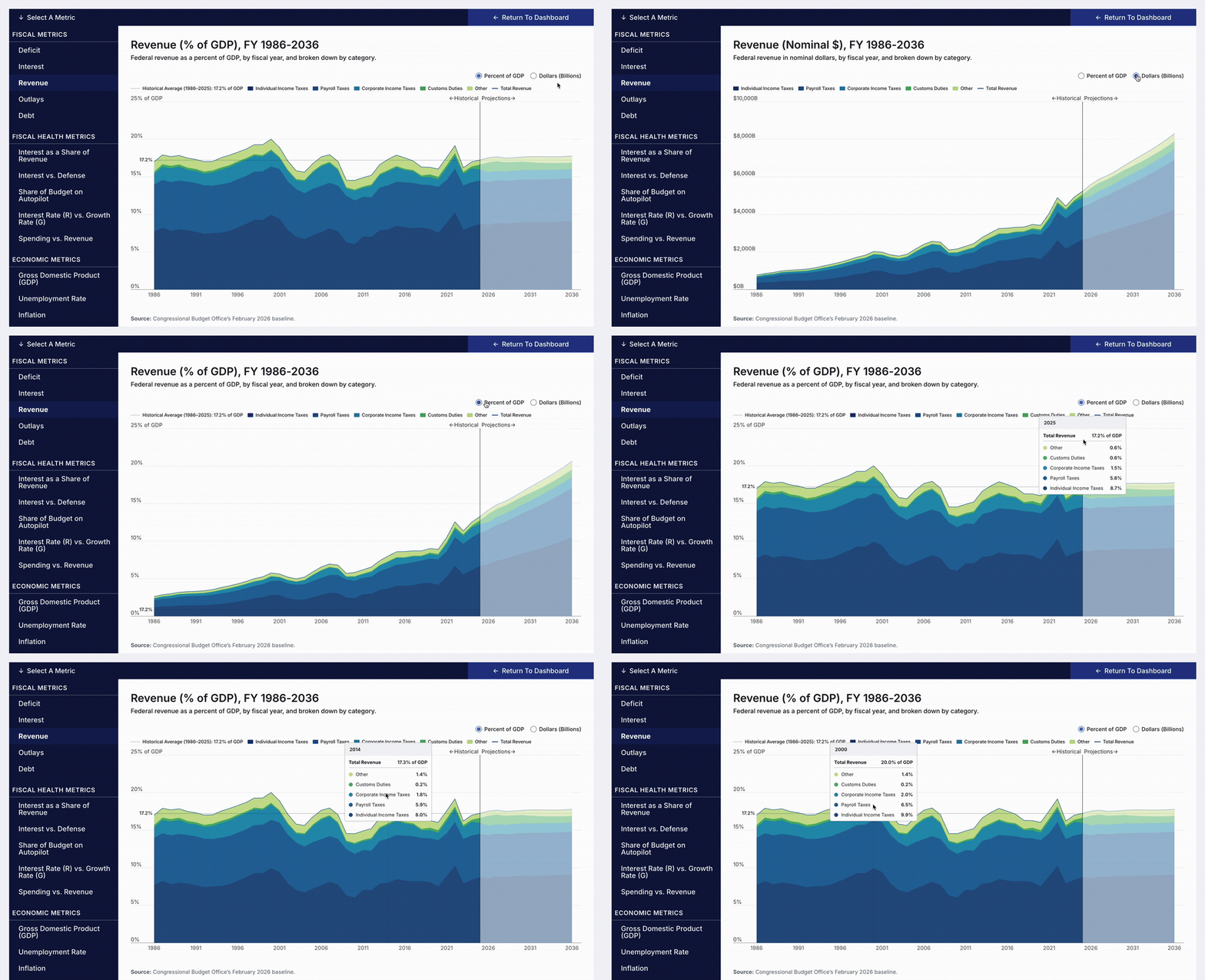
In all three of the main sections, users can click on any featured graphic to see an expanded view with larger, more detailed charts and sub-metrics. Information icons embedded throughout define the metrics and offer helpful context.
To give the dashboard a sense of constant change, Graphicacy built two animated carousels on the page that slide every few seconds, inviting users to explore additional data. Charts and metrics also animate on page load, reinforcing that sense of motion from the moment the page displays. In the Financial section, select data views cycle automatically and can also be clicked through manually via arrow controls.
Solving the volume and cadence challenges took considerable sleuthing and careful engineering to ensure the daily API data aligned with the historical and projected data. Graphicacy also resampled data as necessary across various time periods—daily, monthly, quarterly and yearly—to address timing disparities.
Because Graphicacy built the dashboard on CRFB’s Drupal content management system, the organization can make their own updates and changes going forward. They can manage sources and edit the content and ordering of several metrics cards to keep the dashboard up to date with current events and data releases.